3 Tips to Learn Safe Use of Wireless Microphones Without Dropouts
Tips on how to properly use wireless microphones during performance seasons to improve safety.
The purpose of this article is to avoid most signal dropout issues during live performances through a few simple tips. It is not intended to completely solve dropout problems. If a deeper understanding is needed, more comprehensive learning is required.
1. Interference from Electronic Devices
Interference can seriously affect the operation of wireless microphone receivers.
Most electronic devices will generate signals that interfere with the operation of microphone receivers. Their interference frequencies are different. Some may interfere with the 500MHz frequency band, while others may interfere with the 700MHz frequency band. Therefore, in the same place, some frequency bands of receivers may be interfered with and cannot work, while other frequency bands can work normally.
This does not mean that receivers of certain frequencies are safer than others. Such comparisons have no practical significance.
We should try to avoid placing microphone receivers close to electronic devices. Common interfering devices are as follows;
LED large screens (keep at least 5 meters away from the microphone receiver)
Video processors, audio processors (keep at least 3 meters away from the microphone receiver)
DVD players, karaoke machines, laptops, LCD monitors, switching power supply devices, video processing equipment or video converters (keep at least 2 meters away from the microphone receiver)
Lighting control processing equipment, LED lighting fixtures (keep at least 2 meters away)
In fact, many devices can cause interference, so the principle is to stay away from other electronic devices as much as possible.
The above distances are only for reference. Due to differences in products and manufacturers, the level of interference from many electronic devices is also different, so the impact varies. You can adjust the distance according to actual conditions.
Many readers mentioned after reading the previous articles that sometimes the control area is too small, making it difficult to maintain distance. Therefore, we provide some reference diagrams for your guidance.
.jpg "unnamed (7)") From the above diagram, it can be seen that in the same environment, simply adjusting the equipment installation position can achieve relatively safe usage.
From the above diagram, it can be seen that in the same environment, simply adjusting the equipment installation position can achieve relatively safe usage.
When the interference signal strength received by the receiver is greater than the microphone signal, the microphone signal will drop out. In severe cases, the microphone may even drop out at a distance of just over 1 meter.
So when placing the receiver, we should avoid placing it close to other electronic devices.
2. How to Detect Interference?
When the microphone drops out at close range, and compared to before, the usable distance suddenly becomes much shorter. It is very likely that the receiver is receiving interference signals stronger than the microphone signal from a distance. (The farther the microphone is, the weaker the signal. The more obstacles between the microphone and the receiving antenna, the weaker the signal.)
When using the microphone at close range, there is a “crackling” or “buzzing” sound. This is generally caused when the interference signal received by the receiver and the microphone signal are of similar strength, producing mixed noise.
3. Observing and Confirming Interference
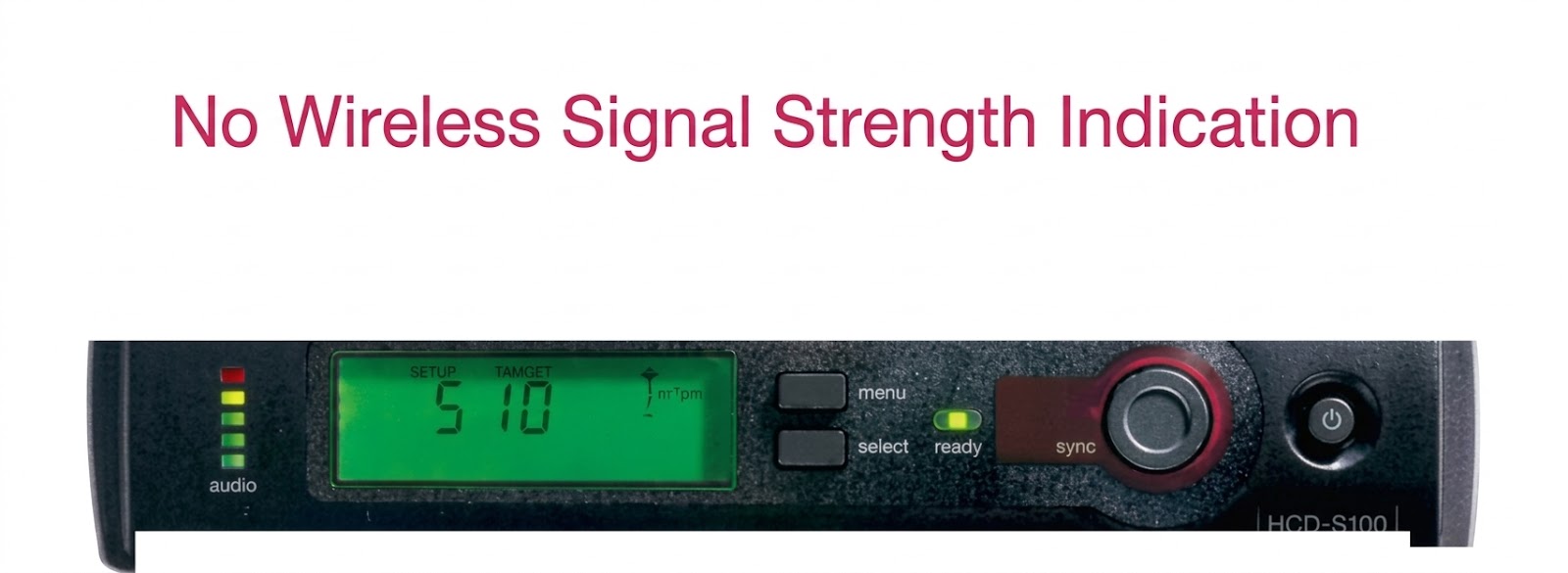
Turn off the microphone, then observe the RF (radio frequency) signal strength indicator on the wireless microphone receiver to check the signal strength and determine whether there is interference.
When the microphone is turned off and the receiver is turned on, if there is a wireless signal (RF indication) on the receiver, it means there is interference.
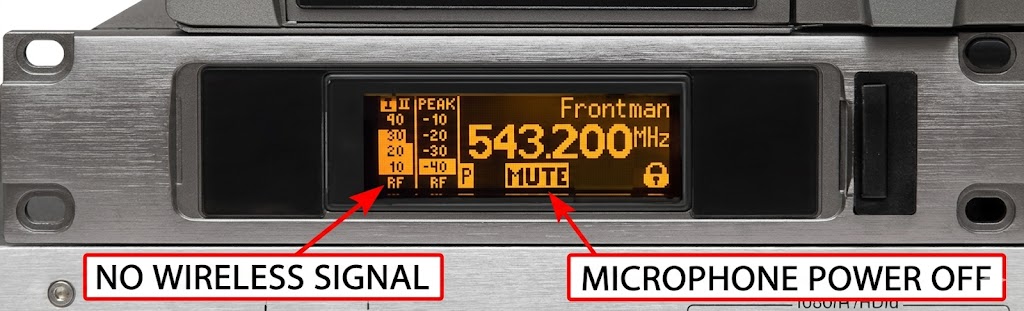
Common RF signal strength indicators are shown below.
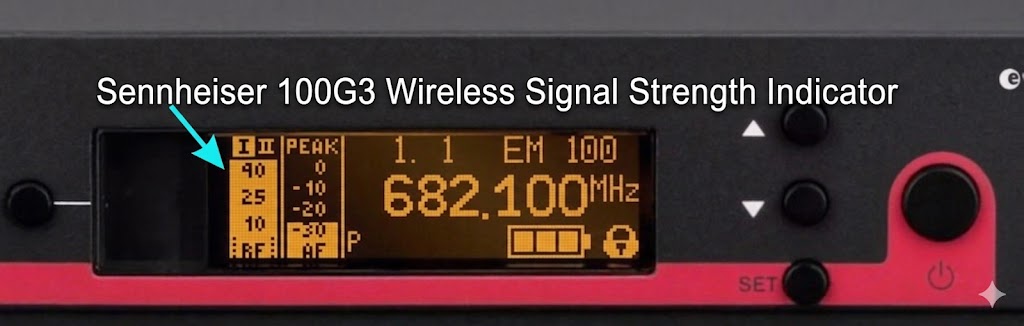
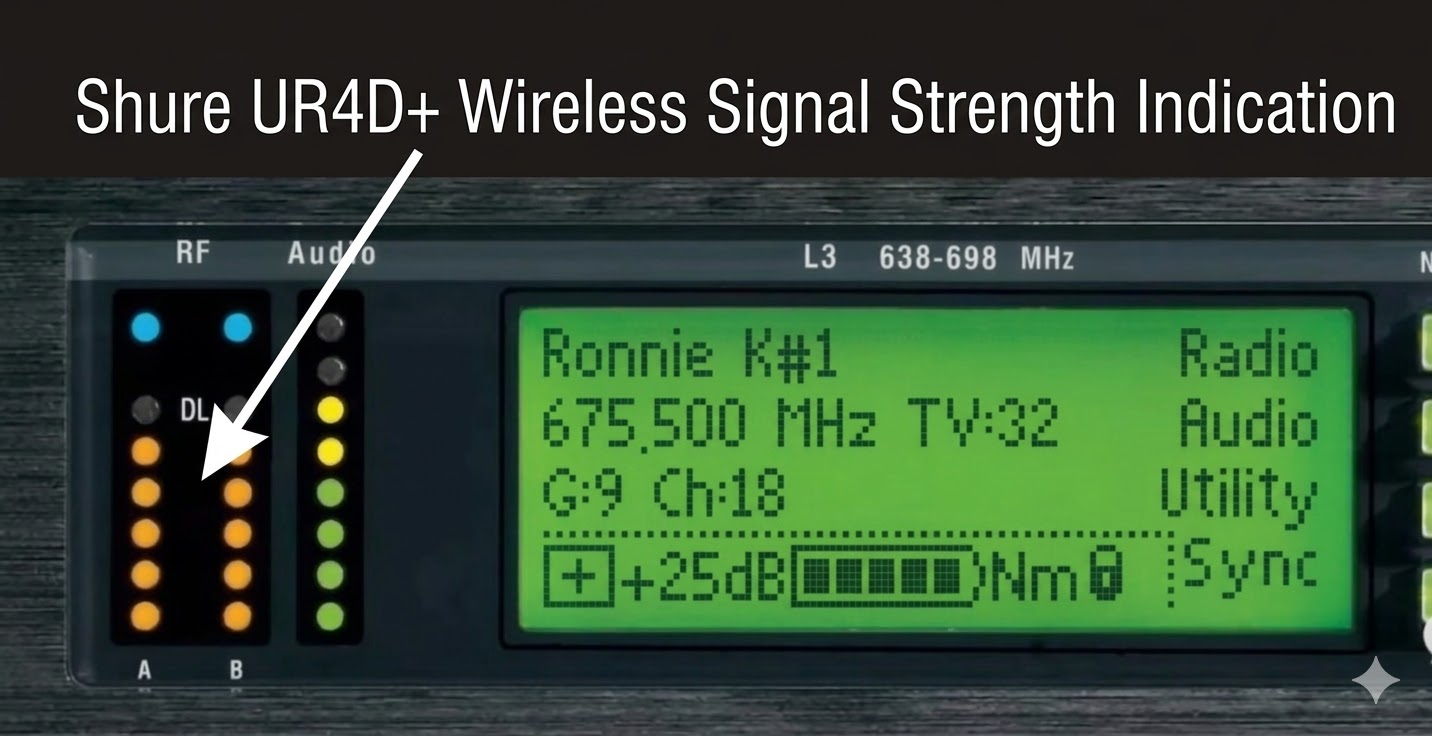
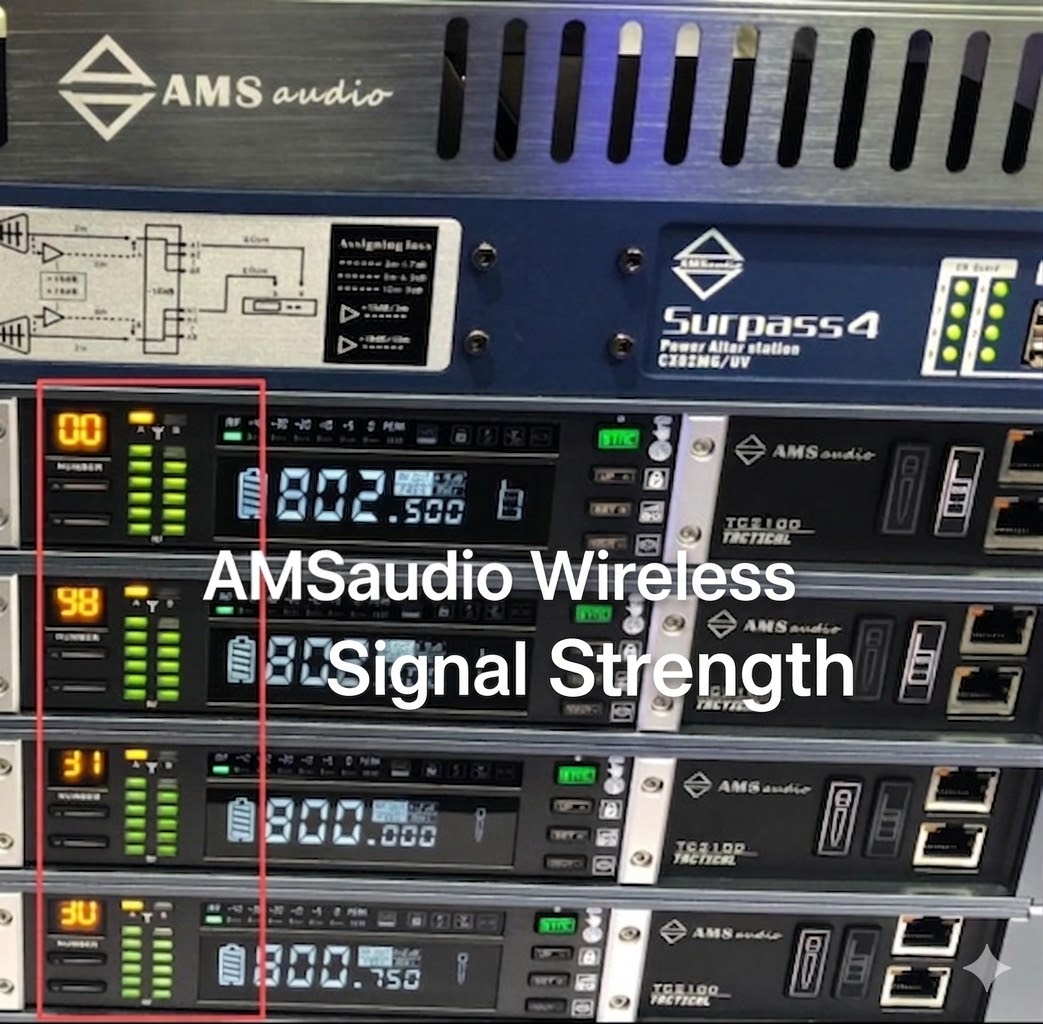 AMSaudio TC2100
Of course, for receivers without RF signal strength indicators, since the interference signal cannot be observed, it is relatively difficult to determine whether interference exists.
These are two commonly used models without RF signal strength display windows.
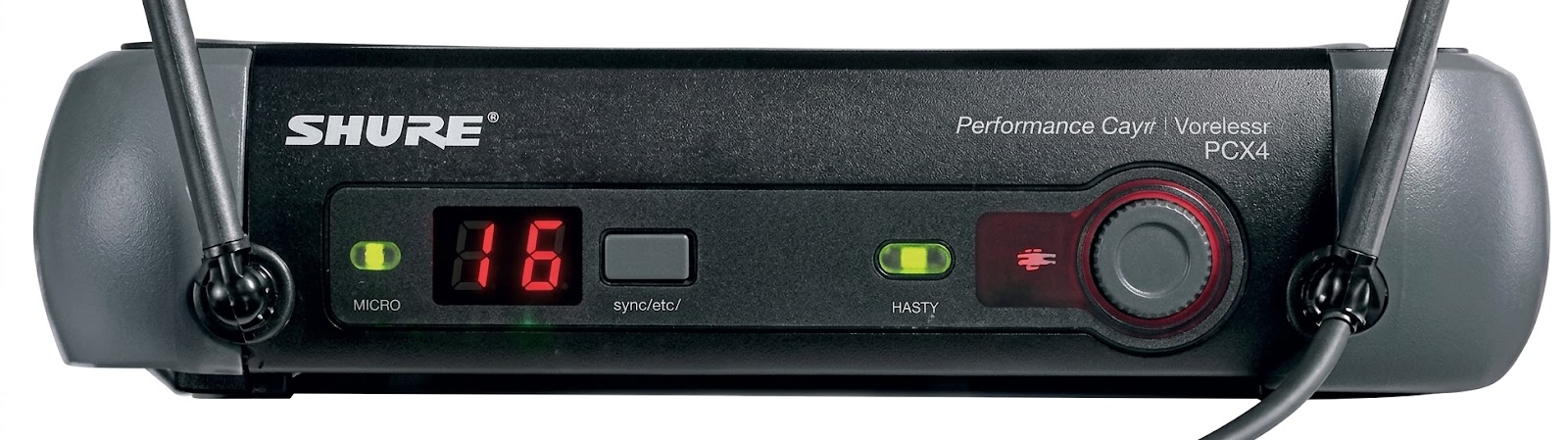
Therefore, no matter what type of wireless microphone is used, we need to place the receiver or its external antenna away from electronic devices and ensure there are no obstacles between the microphone and the receiver.
Of course, the interference mentioned above is only one type. There are many types of interference. This article only hopes to help everyone avoid the most common interference during performances through a simple method.
4. Maintain the Microphone and Receiver Antenna in an Unobstructed Connection State
In addition to interference, during performances, we also need to keep the receiver antenna in a direct visible line connection with the microphone.
Please place the wireless microphone receiver in a higher position. Ensure there are no obstacles between the receiver and the microphone.
If using an antenna distribution system, please ensure there are no obstacles between the antenna and the microphone.
If using an antenna distribution system, keep a distance of more than 1 meter between the two antennas to achieve better diversity performance and avoid near-field interference effects.
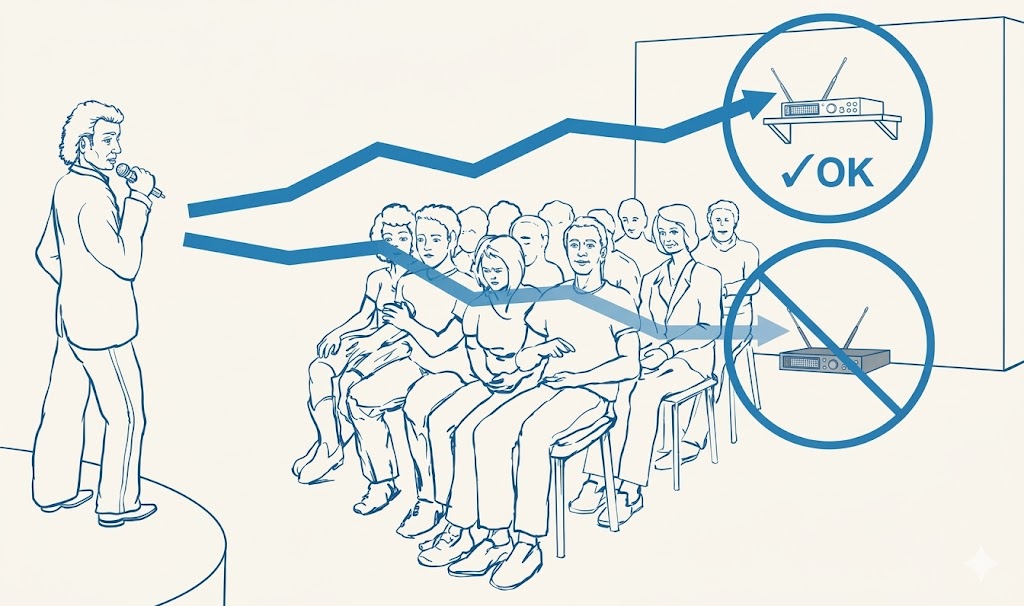
Following the above installation principles can greatly reduce most signal dropout issues during performances.