When wireless transmitting devices are operating, they occupy specific frequency bandwidths, just like vehicles occupying traffic lanes. Frequency is the highway, bandwidth is the lane, and the receiver is the person waiting for the vehicle. If other devices occupy the corresponding frequency band, the receiver will not be able to properly receive the microphone signal. This has nothing to do with whether the microphone is genuine or whether it is a product from a major brand. No manufacturer can completely eliminate co-frequency signal interference; they can only reduce the probability of interference by means such as reducing spurious emissions, using squelch threshold (SQ), narrowband operation, and frequency hopping technology. Among these, frequency hopping technology (derived from spread-spectrum technology used in military secure communications and already applied in civilian fields such as CDMA) is currently a relatively effective solution, but it has not yet been widely adopted due to its high cost. It should be clarified that interference is mostly unintentionally generated during the normal operation of other devices and only affects the wireless microphone receiver, not the microphone transmitter.
Common interference is mainly divided into three categories:
I. Common interference types and causes
1. Co-frequency interference: Other wireless signals exist on the operating frequency, obstructing microphone signal transmission. First, out-of-band emissions such as parasitic signals and harmonics from high-power transmitters like walkie-talkies may fall into the operating frequency. Second, other wireless devices, base stations, etc. operate on the same frequency as the microphone, directly affecting signal transmission.
2. Electromagnetic interference: Harmonic emissions or electromagnetic fields generated during the operation of high-power equipment can cause partial failure of receiver circuits. Examples include microwave ovens, induction cookers, switching power supplies, and large LED screens. The concentrated electromagnetic energy they generate can interfere with audio, video, wireless equipment, and even microcontrollers, similar to the principle behind prohibiting mobile phone use at gas stations.
3. Intermodulation interference: Essentially a type of co-frequency interference generated by the microphones’ own transmissions. The more microphones in use, the more severe the interference, with third-order intermodulation being the most harmful. For example, when two microphones use frequencies of 800 MHz and 801 MHz, third-order intermodulation signals will be generated at 799 MHz and 802 MHz, which may affect other microphones, but the interference signal strength is lower than that of normal operating signals.
II. Interference avoidance methods
(I) Equipment installation planning
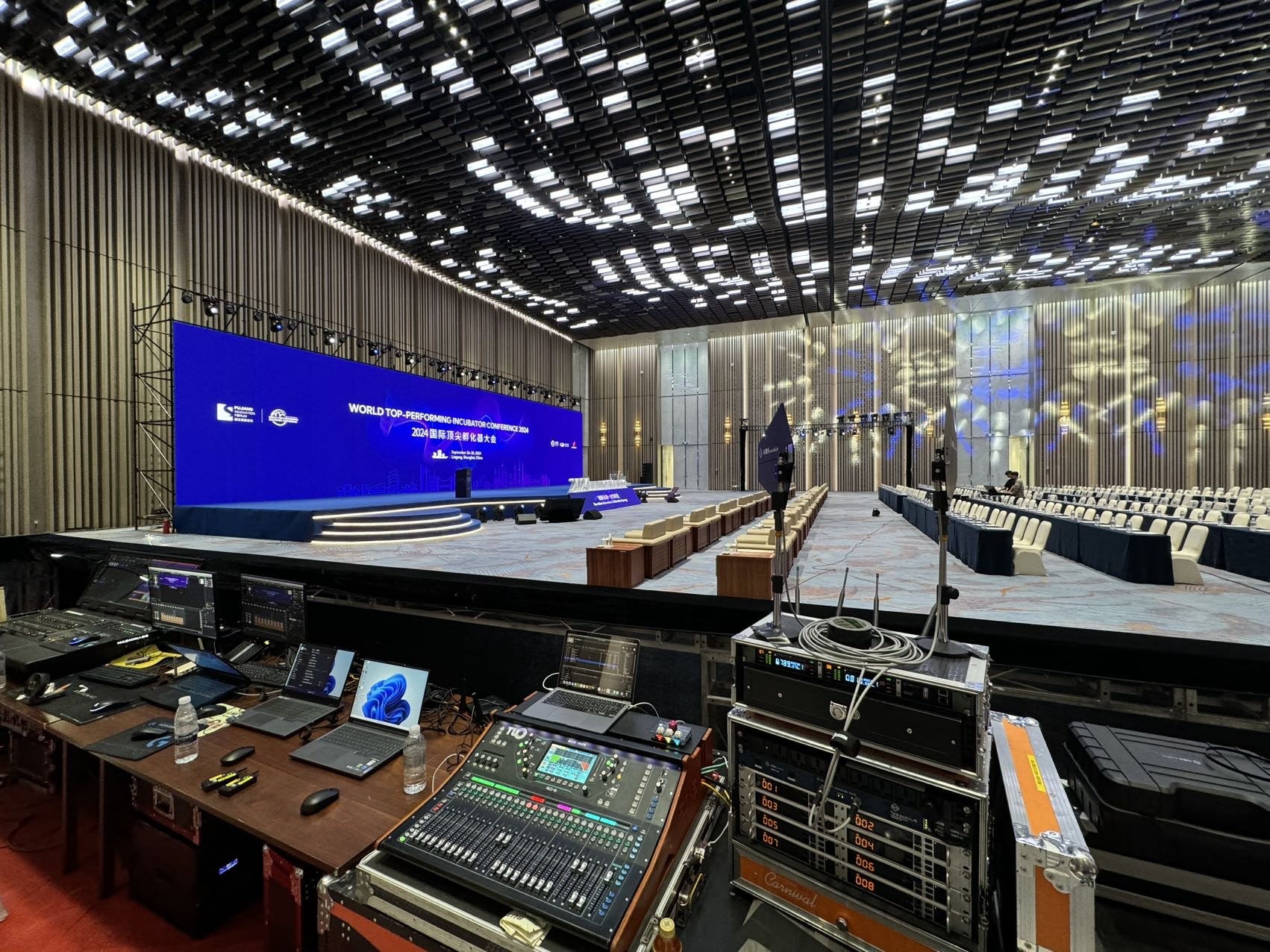
During installation, electromagnetic interference must be avoided by following these principles:
Do not install together with strong electromagnetic field devices such as microwave ovens and electric motors;
Keep away from large LED screens, high-power radio stations, high-voltage generators, and other switching power supplies, RF or high-frequency pulse devices;
Do not install in the same rack as DVD players, karaoke machines, or other equipment with switching power supplies or transmission functions;
Maintain independent installation. The distance from small interference sources should be no less than 50 cm, and from large interference sources (such as LED screens) no less than 5 meters.
(II) Frequency coordination steps
After installation, microphone operating frequencies must be planned to avoid conflicts with other signals. The coordination steps are as follows:
Turn on all microphones and receivers and pair them to ensure normal connection;
Turn off microphone No. 1 and observe the RF (radio frequency) indicator on the receiver. If the indicator lights up or its strength changes, interference exists. Fine-tune the receiving frequency until the RF signal disappears;
Save the new frequency and re-pair the microphone, keeping all microphones powered on;
Follow the above steps to adjust microphone No. 2 and all remaining microphones in sequence;
Perform a comprehensive recheck. If interference still exists, re-adjust. Usually one pass is sufficient to meet usage requirements.
(III) Response to sudden interference
Interference may not appear during tuning, but later nearby wireless devices (such as scheduled transmitting devices or remote monitoring systems) may start up and occupy the same frequency, forming sudden interference. In this case, the affected receiver must be shut down immediately and a backup microphone activated. Currently, some manufacturers have introduced one-button interference avoidance systems (such as the TC series from AMSaudio), which can automatically complete tuning.
AMSaudio TC2100 true diversity dual-channel wireless microphone receiver
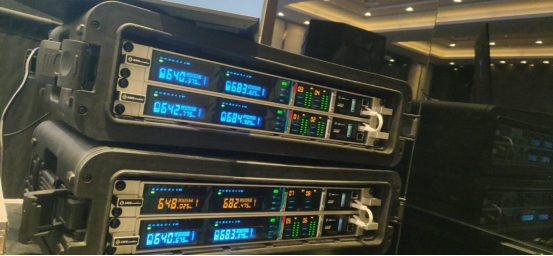
AMSaudio TC2200 true diversity dual-channel wireless microphone receiver
III. Frequently asked questions
1. Why does the receiver output a squealing noise?
This is mostly due to frequency interference. When the wireless microphone signal weakens, co-frequency interference signals take effect. Signal strength determines the degree of interference.
2. Why is the microphone transmitting power not high?
The standard power is 10–50 mW (commonly 30 mW). Power is limited by national regulations, and higher power shortens battery life. 30 mW can meet most usage scenarios.
3. Why can the receiver receive broadcast signals?
There is no essential difference between the receiving principles of microphone receivers, radios, and walkie-talkies. If broadcast signals (including intermodulation and harmonic emissions) fall within the receiving frequency, they can be received.
4. Does rain affect operating distance?
Yes. Rain curtains formed by rainfall attenuate wireless signals, causing a significant reduction in operating distance.
5. How should microphone frequencies be selected?
The mainstream choice is the U band (500–850 MHz). Some brands offer G-band (1000–2400 MHz) products, while the V band is rarely used for performances. Selection should avoid existing microphone frequency bands and open broadcast frequency bands in the city. Within 500–850 MHz, high or low frequencies have no obvious impact on usage.
6. Causes and identification of signal dropouts
Signal dropout refers to the loss of connection between the microphone and receiver and is not caused solely by interference. Interference-related dropouts can be identified by turning off the microphone and observing the RF indicator. Distance-related dropouts occur when exceeding the receiving range and can be resolved by controlling usage distance. Installation-related dropouts are often caused by improper rack installation, antennas not exposed, or obstacles. The antennas must be fully exposed and arranged in a V shape.
7. Why does everything work during rehearsal but problems occur during the live performance?
① Noise or no sound from multiple wireless microphones: lack of coordinated tuning causes intermodulation interference; some microphones need to be turned off.
② Noise or no signal from a single wireless microphone: sudden co-frequency interference; adjust the frequency, re-pair it, and use it as a backup.
③ Reduced distance and dropouts with multiple wireless microphones: crowds (containing large amounts of water) block U-band signals. The receiver should be placed closer to the stage or at a higher position, and an antenna distribution system should be used if necessary.